

Assistive Technologies
Assistive Technologies (AT), are technology tools, hardware, software (high-tech, low-tech, or "no-tech" tools), that can enhance or improve one's ability to perform tasks that would otherwise be difficult or impossible to complete.
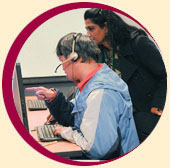
The Computer Accessibility Lab houses a variety of technologies, hardware, and software tools that support students' unique learning styles, preferences, and needs.
Available AT includes:
Text-to-Speech Software: Customizable options enhance learning, reading, writing, and support retention of information
Speech Recognition Software: Transcribes dictated or spoken content. Speech Recognition tools enable users with mobility impairments, or those who have difficulty using the keyboard and mouse, due to conditions such as arthritis or RSI (Repetitive Stress Injury), create documents, use email, or other computer applications
Screen-Readers and Magnification Software and Tools: Enable students who are blind or visually-impaired, access and interact with computer applications and online content
Notetaking Technologies: Notetaking strategies and related technologies can support student learning and retention. Training includes technology tools and digital notetaing apps such as Genio (formerly, Glean), LiveScribe Smartpen, Notability, and OneNote.
Customizable Computer Options: Specialized keyboards, & mice are available to accommodate students' unique access and learning needs
Students' learning and access needs are supported with training on a variety of technology tools in the Computer Accessibility Lab (CAL).
Reading, Writing, & Learning Tools
Microsoft Immersive Reader
Microsoft's Immersive Reader: A tool with built-in Text-to-Speech features to support reading and comprehension for readers of all levels. Features include: Customizing font style, text and page color contrast, line-spacing, and speech rate.
Kurzweil
Kurzweil: A comprehensive literacy and study skills platform featuring innovative tools designed to empower learners with diverse needs through personalized reading, writing, and organizational support.
Inspiration
Inspiration: Visual thinking supports learning and retention of information. Some common visual learning strategies include creating graphic organizers, diagramming, mind mapping, outlining and more.
Central Access Reader
Central Access Reader (CAR): A free, open source, text-to- speech application designed specifically for students with print-related disabilities. CAR reads Word Docs and pasted text using the voice installed on your computer. CAR has an intuitive interface and many customizable features.
Mobility Impairments
Dragon Naturally Speaking
Dragon Naturally Speaking: Voice-recognition software transcribes dictation through spoken voice commands
Ergonomic Adaptations
Alternative Input devices: specialized computer mice, keyboards
Adjustable desk, tables and chairs
Vision Impairments
Screen Readers
Central Access Reader
Central Access Reader (CAR): A free, open source, text-to- speech application designed specifically for students with print-related disabilities. CAR reads Word Docs and pasted text using the voice installed on your computer. CAR has an intuitive interface and many customizable features.
Screen Magnifiers
Math Software
MathType
MathType: A powerful interactive equation editor for Windows and Macintosh that lets you create mathematical notation for word processing, web pages, desktop publishing, presentations, elearning, and for TeX, LaTeX, and MathML documents.
Microsoft Math add-in for MS Word
This free add-in makes it easy to create graphs, perform calculations, and solve for variables with equations created in Word.
MathTypeIt
MathTypeIt: Insert mathematical symbols into email messages and other target documents.
Central Access Reader
Central Access Reader: Read math and logic equations
Desmos
Desmos: Free Online Graphing Calculator
Notetaking Software
Explore various notetaking strategies and apps such as:
Genio
Genio (Formerly Glean) : Capture and transcribe audio notes, annotate, and review customizable note-taking options.
OneNote
OneNote: Capture and organize all your notes. Type, write, sketch, draw, or record audio. Access your notes anywhere, on any device or platform.
Instructor
Sridevi Lakshmanan
Full-time Faculty
Disability Support Services
Office/CAL: 408.864.5816
AT-203
Coordinator
Denisse Dolmo
Coordinator, DSPS/CAL
Disability Support Services
Office/CAL: 408.864.8472
AT-203